
Popular
Most viewed games and apps right now
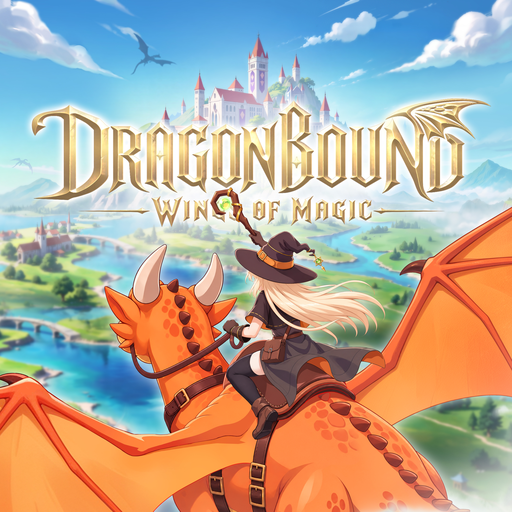
Dragonbound: Wings of Magic
Role Playing
nook - offline games & puzzles
Puzzle
NTE: Neverness to Everness
Role Playing
Goobie Garden: Virtual Pets
Casual
Bufo Jump
Action
Guild Wars® Reforged
Role Playing
أثيريا : عالم الأطياف
Role Playing
Quadra - Block Puzzles
Puzzle
Illusion Connect: Re
Role Playing
Sheep Block Puzzle: Rescue
Puzzle
Dragon Village 3
Role Playing
Barbie™ Horse Ride & Rescue
AdventureGames
Discover the best games

Space Trade Company
Strategynook - offline games & puzzles
Puzzle
Sudoku League
Puzzle
Snakes & Ladders: Kurukshetra
BoardQuadra - Block Puzzles
Puzzle
GENESIS: MARS
Simulation
groky - Escape the Puzzle Grid
Puzzle
Tiny Machinery - A Puzzle Game
Puzzle
Wanderword - Guess the words
Word
King of Words: Word Puzzle
Puzzle
WORD GRAB
Word
LetterGrid: PvP word battle
WordApps
Useful and trending apps








Frequently Asked Questions
Quick answers to common questions
What is AppKhojo?
AppKhojo is an independent guide to Android games and apps. Each listing includes an original written overview, key facts such as developer, rating and install range, practical tips and a link to the official download page. We do not publish the apps ourselves.
Are the games and apps free to download?
Many listings are free to install, but a free download does not always mean free to play. Some games include ads, in-app purchases, subscriptions or random reward systems. Our guides mention these where the publisher's store page does, and you should always confirm current pricing on the official page.
Do you host the game or app files?
No. The Download button sends you to the official Google Play listing or the publisher's page. We never host installation files, which helps you avoid modified or unsafe copies.
How do I install a game or app?
Open the listing, read the overview, then press Download to go to the official store page. Check the version, device requirements and permissions there, then tap Install and follow the on-screen steps. Make sure your phone has enough free storage, especially for large games.
Where does the information on each page come from?
We combine details from the publisher's own store description with our own writing: gameplay explanations, tips, notes for parents and balanced remarks about ratings. Figures such as installs and ratings change over time, so please confirm the latest numbers on the official store page.
Are your descriptions copied from the app stores?
No. Each page is written to explain a game or app in our own words, with added context that store pages do not provide, such as how the systems work, who it suits and what to check before installing. If you notice an error, please tell us and we will correct it.
Is it safe to download from the links on AppKhojo?
Our links point to official stores. Even so, you should check the publisher name, read recent reviews and review the permissions before installing anything. Avoid third-party copies, modified versions or files sent through chat apps.
Are these games suitable for children?
That depends on the title. Some games are gentle and family-friendly, while others include fantasy combat or online chat. We mention age-related points where we can, but you should check the official age rating, and parents can enable purchase authentication in Google Play to prevent accidental spending.
Why do some listings show no rating?
Newer games often have too few reviews to display a rating. In those cases we say that public feedback is limited, and we suggest reading recent reviews on the store page before deciding.
How can I request a game or app, or report a problem?
Email us at info@appkhojo.com with the name of the game or app and the issue or request. We review messages and usually reply within 2 to 3 business days. Rights holders can also use the contact details on our DMCA page.
How do you earn money?
AppKhojo may display advertising, including Google AdSense. Ads are separate from our written content, and advertisers cannot pay to change what we write. See our Advertising Disclosure page for details.
How often is the site updated?
We review and update listings when we notice changes, such as new versions, removed apps or corrected facts. Because stores change frequently, always treat the official store page as the final source for current details.